
Store design
Customise your storefront
Your store should feel like your business. Everything here lives in the Customization and Legal sections of your dashboard, and none of it needs code.
Branding and colours
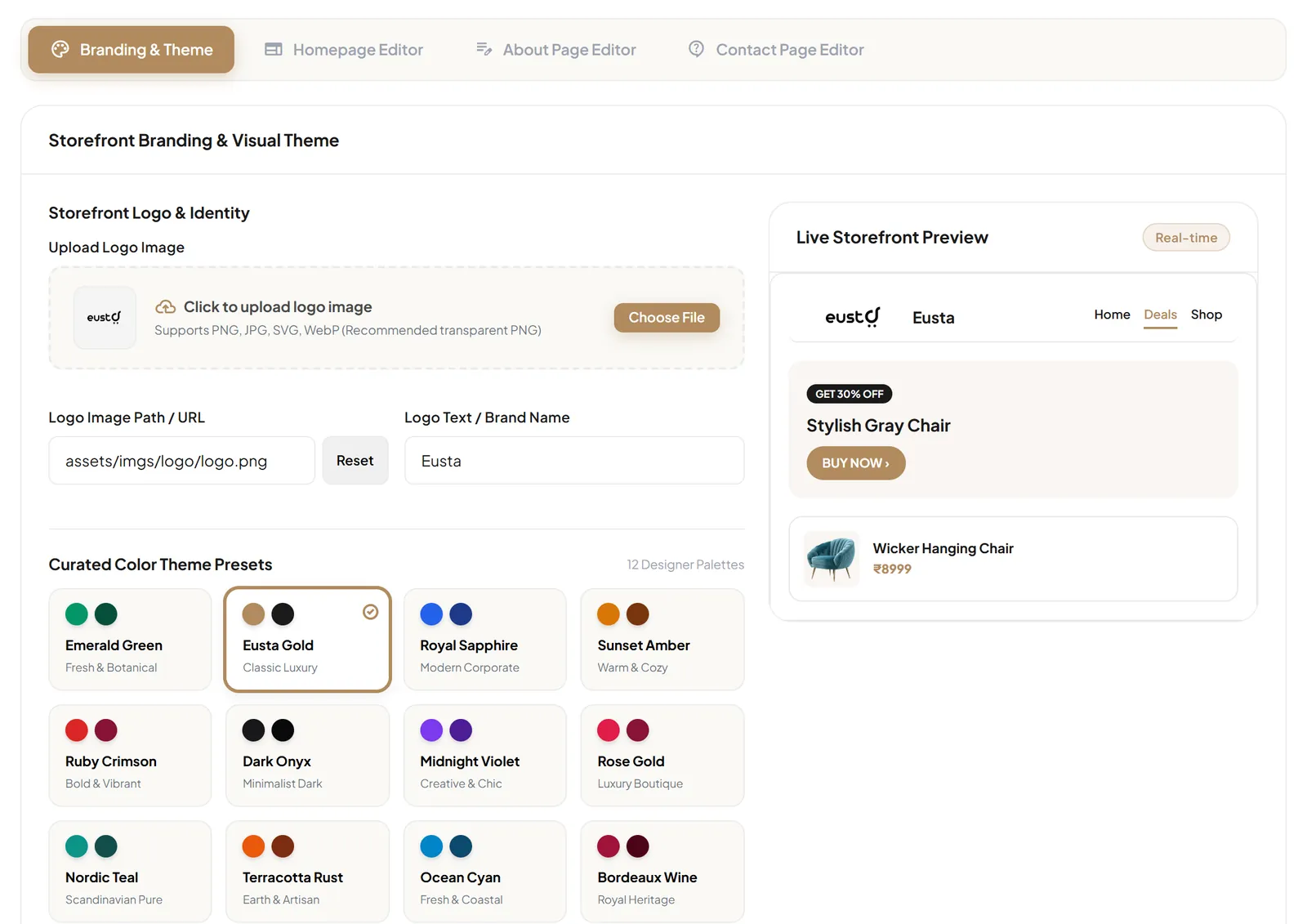
In Customization → Branding & Theme:
- Upload your logo (PNG, JPG, SVG or WebP; a transparent PNG works best) and set your brand name.
- Choose one of 12 colour presets: Emerald Green, Eusta Gold, Royal Sapphire, Sunset Amber, Ruby Crimson, Dark Onyx, Midnight Violet, Rose Gold, Nordic Teal, Terracotta Rust, Ocean Cyan or Bordeaux Wine.
- Or use the colour picker to set any Primary Accent Color and Secondary / Header Color you like, for example your exact brand colours.
- Watch the Live Storefront Preview, then select Save Branding & Colors.
- Emerald Green
- Eusta Gold
- Royal Sapphire
- Sunset Amber
- Ruby Crimson
- Dark Onyx
- Midnight Violet
- Rose Gold
- Nordic Teal
- Terracotta Rust
- Ocean Cyan
- Bordeaux Wine
- Any colour
Homepage
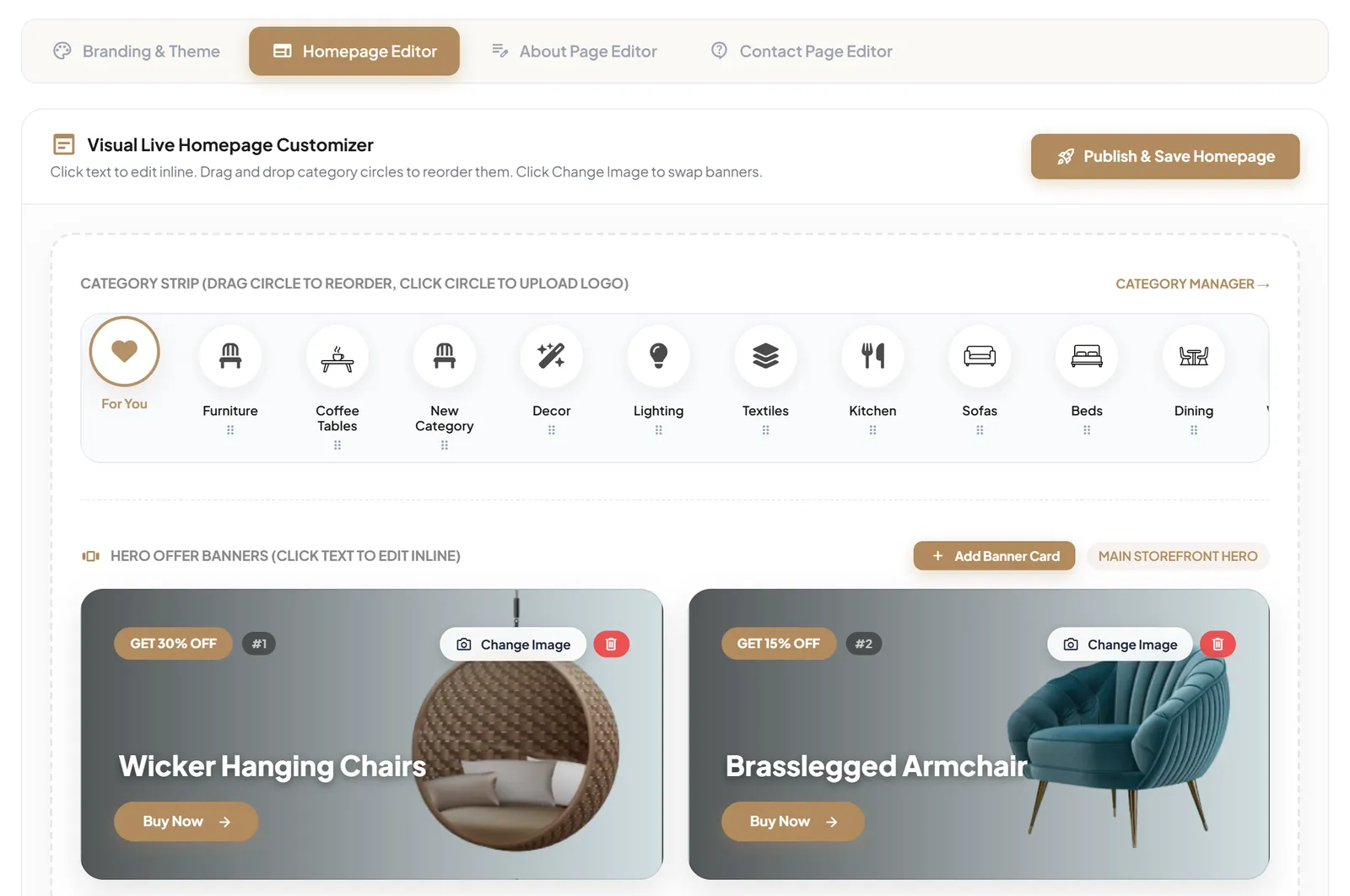
The Homepage Editor works on a preview of your homepage:
- Click any text to edit it inline.
- Drag category circles to reorder your category strip, or click a circle to upload an image for it.
- Use Add Banner Card to add an offer banner and Change Image to swap a banner's image.
- Select Publish & Save Homepage to make your changes live.
About and Contact pages
Use the About Page Editor to tell your story and the Contact Page Editor to update your contact page, including the labels on its enquiry form. Messages sent through that form arrive in your Enquiries inbox.
Store policies
In Legal, edit your Terms of Service, Privacy Policy and Return & Refund Policy, then select Save All. Write policies that reflect how your business really works, especially for delivery, returns and payment.
Currency and store details
In Settings, choose the currency your prices are shown in (INR, USD, EUR or GBP) and keep your store name, address and WhatsApp number up to date.