
WhatsApp ordering
How WhatsApp ordering works
Eusta connects your online store to the conversations you already have on WhatsApp. Here is what happens when a customer wants to order, and how to handle it well.
What your customers see
Every product page in your store has an Enquire on WhatsApp button. A floating WhatsApp button on every page invites general questions, and on phones there's a Chat tab in the bottom navigation bar.
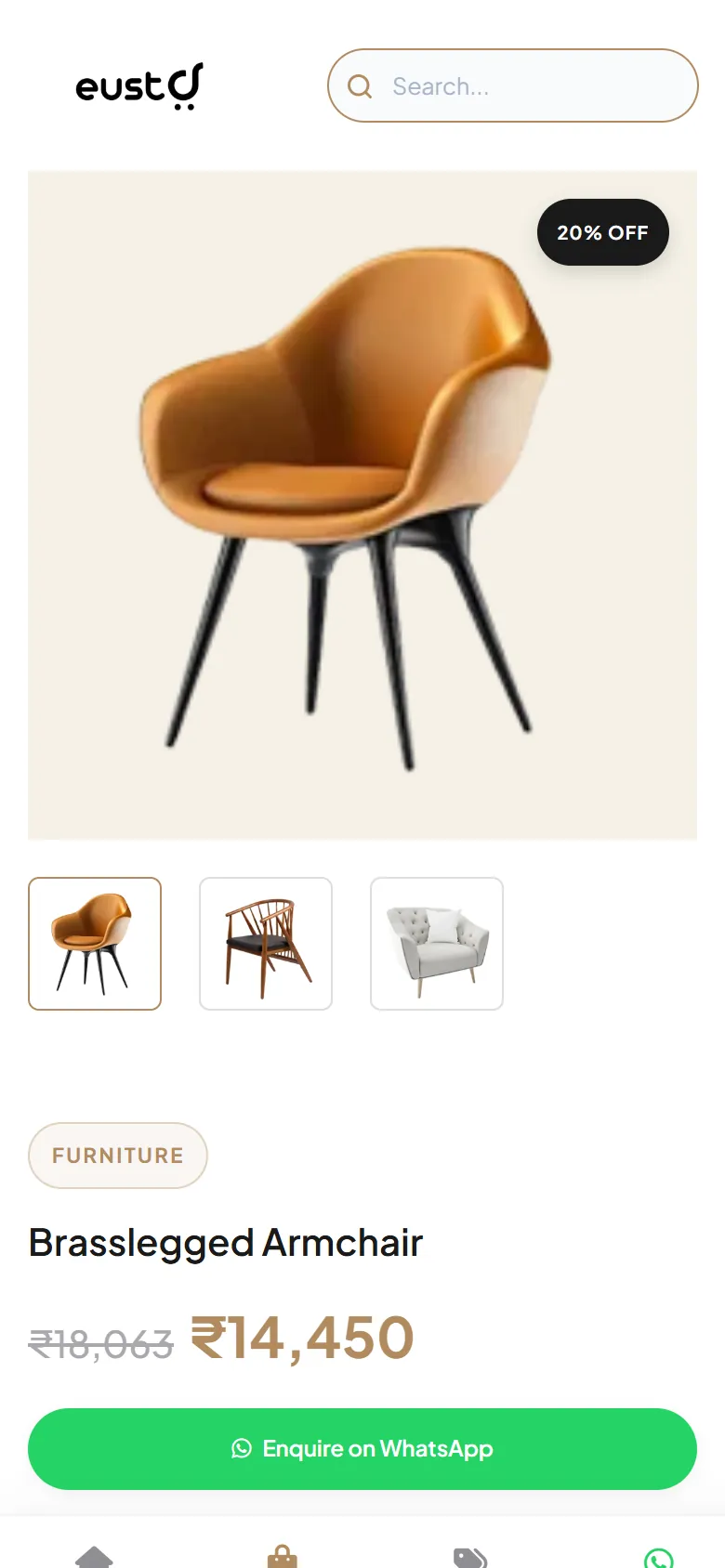
What the message contains
When a customer taps Enquire on WhatsApp, WhatsApp opens with a message to your number, like this:
The message includes the product name, SKU, price and a link to the product page, so you know exactly what the customer is asking about. Customers can add to the message before they send it.
Where messages go
Enquiries go to the WhatsApp Order Number in Settings → Store Info. Enter it with your country code (for example, 91 for India). On a phone the link opens the WhatsApp app; on a computer it opens WhatsApp Web or the desktop app.
From enquiry to confirmed order
An enquiry starts a conversation; it isn't a payment or a confirmed order. A simple routine helps:
- Reply quicklyConfirm the product is available.
- Agree the detailsConfirm the final price, quantity and any options such as size or colour.
- Arrange delivery and paymentAgree on delivery or pickup, and on how the customer will pay.
- SummariseSend a short order summary so you both have a record.
Eusta doesn't process payments. You agree on payment directly with your customer.
Track WhatsApp interest
The Click Analyser counts WhatsApp order clicks for each product alongside its views, so you can see which products turn browsing into conversations. Learn more in Grow with enquiries and Click Analyser.